
Download Mermaid Chart – Efficient Diagramming, Real‑Time Collaboration, Free & Secure
Overview
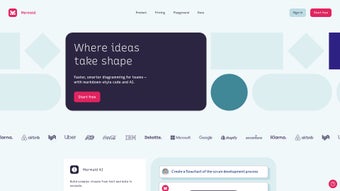
Mermaid Chart is a web‑based diagramming tool that transforms simple markdown‑style code into professional‑grade visualizations. Designed with enterprise teams in mind, it lets users create flowcharts, sequence diagrams, Gantt charts, class diagrams, and many other representations without leaving the browser. By leveraging the open‑source Mermaid engine, Mermaid Chart delivers a reliable, standards‑based foundation while adding a polished UI, real‑time collaboration, and enterprise‑grade security.
The platform works on any modern operating system—Windows, macOS, Linux, Android, and iOS—because it runs entirely in the cloud. Users can invite teammates to edit diagrams simultaneously, comment inline, and export the final graphics in SVG, PNG, or PDF formats for inclusion in presentations, documentation, or tickets. The combination of markdown simplicity, collaborative power, and cross‑platform accessibility makes Mermaid Chart a standout choice for teams that need to communicate complex information quickly and securely.
Beyond basic diagramming, Mermaid Chart integrates tightly with popular development and project‑management tools, enabling automatic diagram generation from code repositories, CI pipelines, or issue trackers. Its encrypted storage complies with GDPR and ISO‑27001, providing peace of mind for organizations handling sensitive architecture diagrams or product roadmaps. Whether you’re a software architect sketching system components, a product manager outlining a release timeline, or a business analyst mapping a workflow, Mermaid Chart offers a fast, intuitive way to turn abstract ideas into clear visual language.
Key Features of Mermaid Chart
- Markdown‑Driven Diagram Syntax – Write diagrams using concise text blocks that the engine instantly renders into visual charts.
- Wide Range of Diagram Types – Supports flowcharts, sequence diagrams, Gantt charts, class diagrams, state diagrams, pie charts, and more.
- Real‑Time Collaboration – Multiple users can edit the same diagram at once, with live cursor tracking and change history.
- Cross‑Platform Accessibility – Runs in any modern browser, making it available on Windows, macOS, Linux, Android, and iOS without installing additional software.
- Secure Cloud Storage – Diagrams are saved to encrypted cloud storage with role‑based access controls, meeting enterprise compliance standards.
- Export Options – Export diagrams as SVG, PNG, PDF, or embed them directly into markdown files, wikis, or Confluence pages.
- Versioning & History – Automatic version control lets you revert to previous states, compare changes, and audit edits.
- Integration Friendly – API hooks for GitHub, GitLab, Jira, and other DevOps tools enable automated diagram generation from CI pipelines.
- Custom Themes & Styling – Choose from built‑in themes or define your own CSS to match corporate branding.
- Offline Mode (Premium) – A downloadable desktop wrapper lets power users work without an internet connection while keeping sync capabilities.
Why Markdown Matters
Markdown‑driven syntax removes the steep learning curve typical of drag‑and‑drop editors. Users familiar with plain‑text documentation can start creating diagrams within minutes, and the text‑based format makes version control straightforward. Because diagrams are stored as plain text, they play nicely with Git, allowing teams to review changes side‑by‑side with code commits.
Collaboration Engine Under the Hood
The real‑time collaboration layer relies on WebSocket technology, delivering sub‑second latency when multiple contributors edit a single canvas. Each participant sees live cursor positions, change highlights, and an immutable audit trail that records who made which modification and when. This level of transparency is especially valuable during sprint planning or architecture review meetings, where rapid iteration and clear accountability are essential.
Security Built In
All data is encrypted in transit via TLS 1.3 and at rest with AES‑256. Role‑based access controls let administrators define granular permissions—view‑only, comment, or edit—while SSO integration through SAML or OAuth reduces password fatigue. For regulated industries, audit logs are retained for the duration required by compliance frameworks, and data residency options are available for regions with strict data‑sovereignty laws.
Installation, Usage & Compatibility
Because Mermaid Chart is a cloud‑native SaaS application, there is no traditional “installation” process on the client side. Getting started takes only three simple steps:
- Create an Account – Visit mermaidchart.io, enter your corporate email, and set a strong password. Single Sign‑On (SSO) can be configured later for enterprise teams.
- Choose a Workspace – After verification, you’ll be prompted to create a workspace. Workspaces act as containers for projects, diagrams, and collaboration settings.
- Start Diagramming – Click “New Diagram,” select the diagram type (e.g., flowchart), and begin typing Mermaid syntax in the built‑in editor. The preview pane renders the visual output instantly.
For users who prefer a desktop experience, Mermaid Chart offers a lightweight Electron wrapper that can be downloaded from the “Downloads” page. The wrapper simply loads the web app in a dedicated window, providing offline caching for read‑only access and a native feel on Windows, macOS, and Linux.
Operating System Compatibility – The application is fully responsive and works on any device with a modern browser (Chrome, Edge, Firefox, Safari). This means you can use it on:
- Windows 10/11
- macOS Ventura or later
- Linux distributions with recent GTK or KDE desktops
- Android 8.0+ (via Chrome or the native app)
- iOS 13+ (via Safari or the native iOS app)
When you’re ready to embed a diagram, simply click the “Export” button and choose your preferred format. For developers, an API key can be generated in the account settings, allowing programmatic diagram generation via POST requests to https://api.mermaidchart.io/v1/diagrams. The API respects the same authentication and permission model used in the web UI, ensuring secure access.
Best Practices for Efficient Use
Start each diagram with a clear purpose statement; this helps teammates understand the context before they dive into the syntax. Use comments within your markdown (prefixed with %%) to annotate sections for future reviewers. Take advantage of the built‑in version history to create milestones—e.g., “v1.0 architecture draft”—so you can revert to a stable baseline if experimental changes become messy.
For teams that require strict offline access, enable the premium desktop wrapper and configure periodic sync intervals. This approach keeps local copies up to date while still benefitting from the cloud’s collaboration features when a connection is available.
Conclusion, Pros & Cons, FAQ & Call to Action
Pros:
- Intuitive markdown syntax eliminates the need for complex graphic editors.
- Real‑time collaboration keeps teams synchronized during diagram creation.
- Secure cloud storage with enterprise‑grade encryption and SSO support.
- Extensive export options and API integrations streamline workflow automation.
- Cross‑platform accessibility ensures every user can contribute from any device.
- Versioning and audit logs satisfy compliance requirements.
- Free tier provides generous functionality for small teams and individual users.
Cons:
- Advanced styling may require custom CSS knowledge for non‑technical users.
- Offline mode is limited to premium subscribers.
- Complex diagrams can become hard to read if not carefully organized.
- Learning Mermaid syntax, while simple, still represents a shift for users accustomed to visual drag‑and‑drop tools.
Frequently Asked Questions
Is Mermaid Chart free to use?
Mermaid Chart offers a generous free tier that includes unlimited diagram creation, real‑time collaboration for up to five users, and basic export options. Premium plans unlock offline mode, advanced security controls, and larger team collaboration limits.
Can I integrate Mermaid Chart with GitHub?
Yes. Mermaid Chart provides native GitHub integration via a marketplace app. You can automatically render Mermaid diagrams stored in your repository and embed them directly in pull‑request comments or README files.
What security measures protect my diagrams?
All data is encrypted in transit using TLS 1.3 and at rest with AES‑256. Role‑based access controls, SSO (SAML/OAuth), and audit logs are available for enterprise accounts, ensuring compliance with GDPR, ISO 27001, and other standards.
How does the real‑time collaboration work?
When multiple users open the same diagram, the application creates a shared editing session. Changes are synced instantly via WebSocket connections, and each user’s cursor is displayed in a unique color. Version history records every edit for easy rollback.
Can I export diagrams for offline presentations?
Absolutely. Diagrams can be exported as high‑resolution SVG, PNG, or PDF files. These assets are fully editable in vector graphics editors if further customization is required.
In summary, Mermaid Chart delivers a powerful, secure, and collaborative environment for turning markdown text into compelling visual stories. Its blend of simplicity and depth makes it suitable for both small teams and large enterprises seeking to improve communication and decision‑making through diagrams. Ready to streamline your visual workflow? Download Mermaid Chart today, start a free trial, and experience how effortless diagramming can be.



.png)



